 RSS
RSS
No offence Google, but you're a lot. I recently saw this article that mentions moving away from certain US based web services and then decided to try and migrate my Google Analytics sites (eg Dibs) onto something else.
The why
I'm tired of the Google Analytics interface. It's slow. It needs to be
refreshed every time I go to the tab. The calendar picker is always behind.
It's annoying to track individual webpages. And swapping between different
accounts and properties one by one is ponderously clumsy.
Also maybe it's not such a great idea to pour money into Adwords, and then use another Google product to measure the effectiveness of that spend. Independently measuring that impact might be more prudent.
Momma's tomatoes
Enter Matomo*.
I know nothing about it. But, it does website traffic stats. It's open
source. It can be self-hosted. And I don't need to have cookie consent
popups for web visitors. It also takes measures on the backend to maintain
GDPR compliance.
Now, I didn't want to pay for a dedicated server to host Matomo. Nor for their hosted solution. I briefly wondered about running Matomo in a serverless fashion. Some sort of AWS Lambda situation with a shared storage/data backend? Nope. Matomo needs a MariaDB/MySQL database. Normally I'd reach for an EC2 server or possibly an RDS... but I wanted to do this on the cheap.
The how
Maybe I could put one of the idle Raspberry Pi's in my cupboard to use?
I could run matomo on the Pi locally, and publish its endpoint to the world via a Cloudflare Tunnel.
So, Cloudflare has this Tunnels product that allows you to expose private network services as though they were public. For free. As long as you're using their DNS.
On the flipside, if any of my sites were to experience an absolutely hallucinogenic level of web-traffic, there'd be a flood of analytics data headed for my home network. It might suck. Ya know, let's burn that bridge when we get to it.
The point of no return
-
Installing Momatomato
Matomo provides a Docker Compose configuration file, so installing it is fairly simple provided
you've got a bit of docker up your sleeve. I grabbed their
docker compose configuration,
set the passwords, changed the volumes to bind-mounts and created the local directories (db-data, app-data).
docker-compose.yml
services: db: image: mariadb:latest container_name: matomo-db restart: unless-stopped environment: MYSQL_ROOT_PASSWORD: choose-a-password MYSQL_DATABASE: matomo MYSQL_USER: matomo MYSQL_PASSWORD: choose-a-password volumes: - ./db-data:/var/lib/mysql matomo: image: matomo:latest container_name: matomo-app restart: unless-stopped ports:# choose a local port that's available
- "9000:80" environment: MATOMO_DATABASE_HOST: db MATOMO_DATABASE_USERNAME: matomo MATOMO_DATABASE_PASSWORD: gumtr33 MATOMO_DATABASE_DBNAME: matomo volumes: - ./app-data:/var/www/html# I'll explain this down below
# - ./.htaccess:/var/www/html/.htaccess
depends_on: - db cron: image: matomo:latest container_name: matomo-cron restart: unless-stopped volumes: - ./app-data:/var/www/html entrypoint: > /bin/sh -c "while true; do php /var/www/html/console core:archive; sleep 3000; done" depends_on: - db -
Cloudflare Tunnels
A Cloudflare Tunnel will give you a globally routable hostname, that can redirect people to resources that
you're hosting in your own private network, or in your own private cupboard.
Note: This is the pathway I chose because traffic statistics aren't mission-critical for me. Collecting them on a Raspberry Pi is definitely tempting the universe, but if it falls over, it falls over.
This approach also requires you to have the domain name hosted with Cloudflare. I.e. if you're setting up the CNAME record stats.mydomain.com then you'll need to have the DNS for mydomain.com managed by Cloudflare.
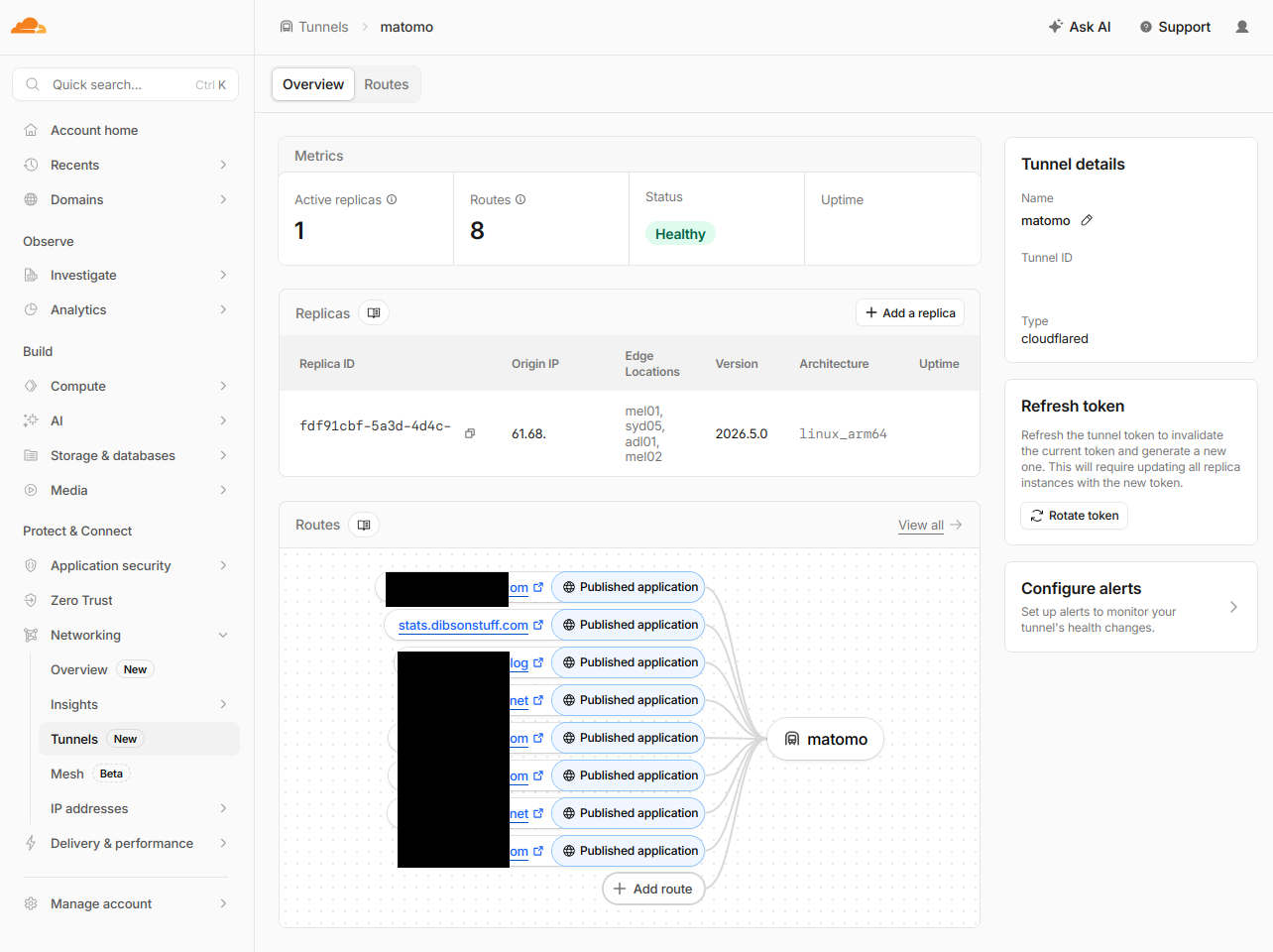
In the Cloudflare configuration you'll note that I've created separate routes (redacted) pointing to my private Matomo server, one hostname for each major web-property that I'm running. You don't have to do this of course, perhaps you'd prefer one host to collect all stats for all your properties eg bigstats.com.*
Anyway, you'll essentially be setting up new hostnames that redirect to your private instance of Matomo (http://localhost:9000). This will require you to install the Cloudflare daemon on your private endpoint, CF provides you with the exact commands to run. This sort of thing:
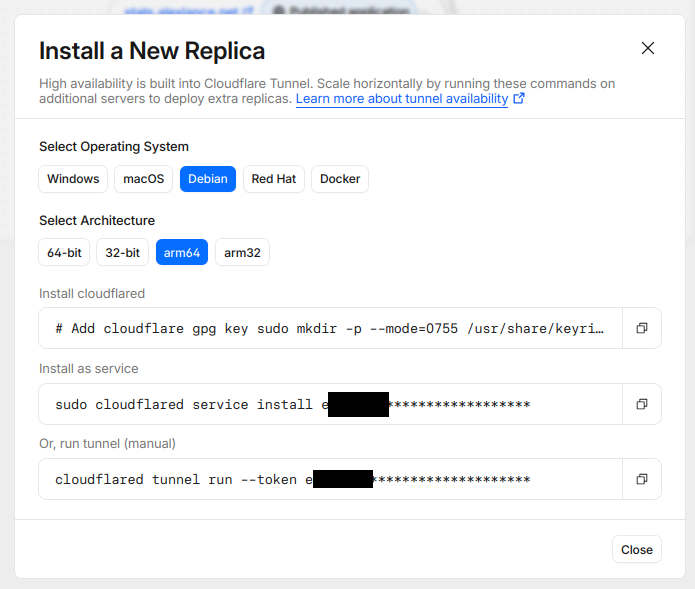
The Cloudflare interface should then tell you that your remote host is connected successfully and that you can add routes. -
Adding a website to Matomo
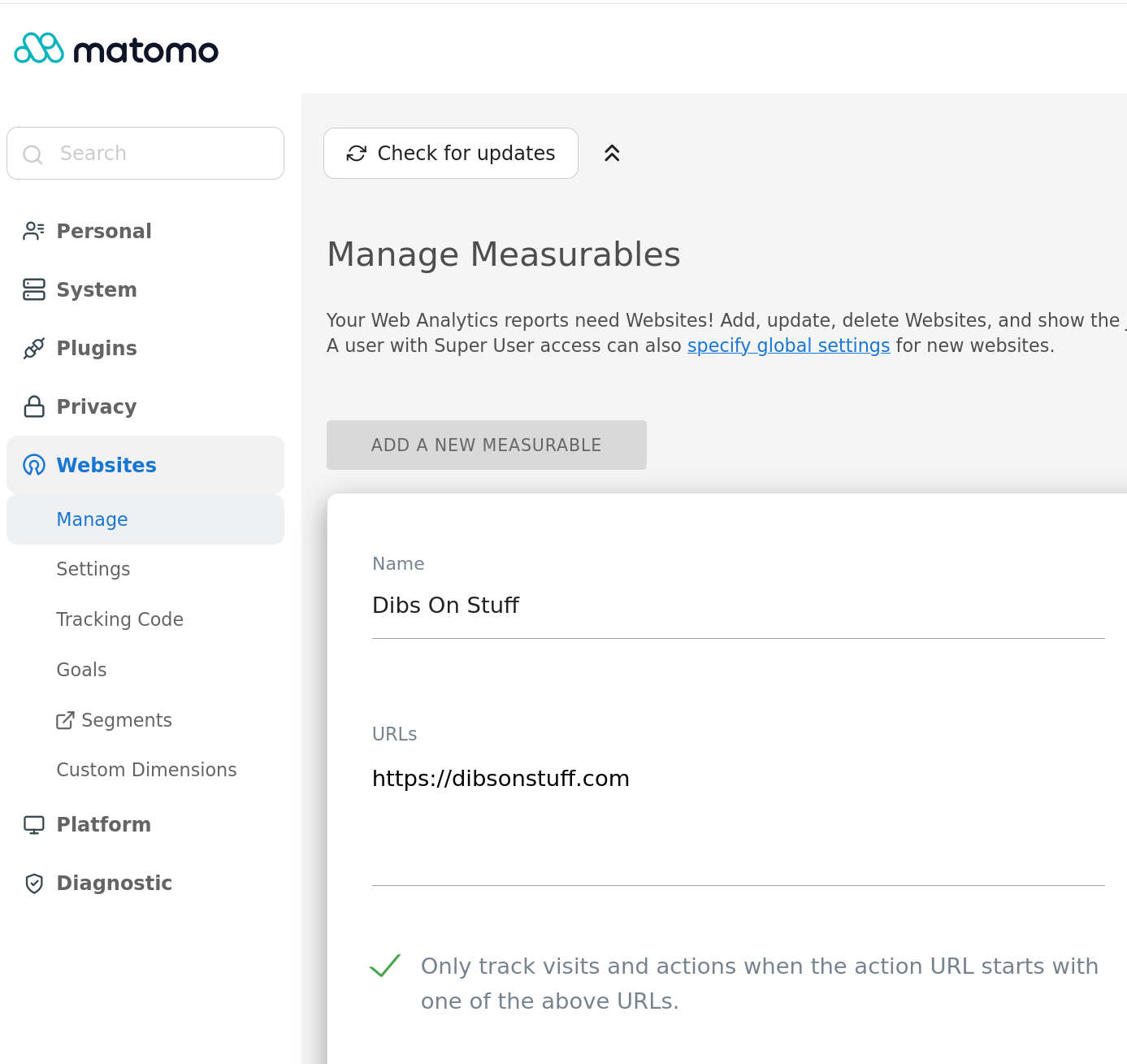
If you've done this in Google Analytics, it's a familiar routine. Add the website in the
Matomo interface, they'll give you some JavaScript, you put that code in your website which
sends the visitor data back to you and all is good. No need for any further steps, hope you've
enjoyed this article.
-
uBlock Origin
Except for one thing! It turns out
uBlock Origin
has some rules in there that block Matomo analytics. I.e. you put the
JavaScript in your webpage and hit refresh and then uBlock will prevent the
website from reporting the hit to your instance of matomo.
Has this entire thing been a waste of time? What am I even doing.
The Matomo docker image runs Apache under the hood, let's plonk some Apache Rewrite rules in there so that uBlock doesn't notice your matomo requests anymore..htaccess
# See comment in the docker-compose.yml file
# above about the .htaccess file
RewriteEngine On RewriteRule ^bigmomatomato.js matomo.js RewriteRule ^bigmomatomato.php matomo.phpindex.html
<head> <script> var _paq = window._paq = window._paq || []; _paq.push(['trackPageView']); _paq.push(['enableLinkTracking']); (function() { var u="//stats.example.com/"; _paq.push(['setTrackerUrl', u+'bigmomatomato.php
']); _paq.push(['setSiteId', '4000']); var d=document, g=d.createElement('script'), s=d.getElementsByTagName('script')[0]; g.async=true; g.src=u+'bigmomatomato.js
'; s.parentNode.insertBefore(g,s); })(); </script> </head>
Then rebuild the matomo docker image with the Apache Rewrite module enabled. I carefully placed those instructions in a Makefile so that I can immediately forget that I made this decision.
      Makefile
      build:
      	docker pull matomo:latest
      	echo "FROM matomo:latest \nRUN a2enmod rewrite" | docker build -t matomo:latest -

      up:
      	docker-compose up -d

      down:
      	docker-compose down
Except it still doesn't work of course, because uBlock also has another rule that prohibits third-party tracker pings:
*$ping,3p
Remember earlier I was suggesting you could have one central domain name to collect all your statistics from your websites (eg bigstats.com) or you could have multiple domains, one for each website? Well you'll need to do the latter to get around that rule.
This means setting up a separate route in Cloudflare Tunnels for each website, eg:
stats.dibsonstuff.com -> matomo
stats.otherwebsite.com -> matomo
And so on. It's ok, Cloudflare doesn't mind. And philosophically uBlock Origin shouldn't mind, you are after all, reporting your own website traffic back to yourself without involving a third party.
If you decide to take that path you'll need to configure Matomo with the alternate hostnames in:
Admin -> General Settings -> Trusted Matomo Hostname
For me the next few weeks will be spent excitedly comparing the Google Analytics traffic with the Mamoto traffic and leaping across the room with a triumphant "aha!" everytime something anomalous occurs. Let's see if they both report the same information.
Also I'm really going to have to put some backups and monitoring on this Raspberry Pi like over here.
If this information has been helpful or troubling, well good. I feel the same. And don't hesitate to reach out if I can provide support for your next project. Let's build some stuff.